Personal · Quieter days · Live on Android

Quieter days. Fewer scam calls. The right people still get through.

More control over who can reach you: your trusted people ring as normal, and every other call stays quiet and waits for you in Activity.

  • Trusted people still get through; everyone else stays quiet.
  • Profiles such as Family or Work, or Block all when you need peace.
  • Quiet hours on a schedule, or Quiet now for as long as you choose.

Available now on Android. An iPhone version is in preparation.

Live on Android · 5★ rated
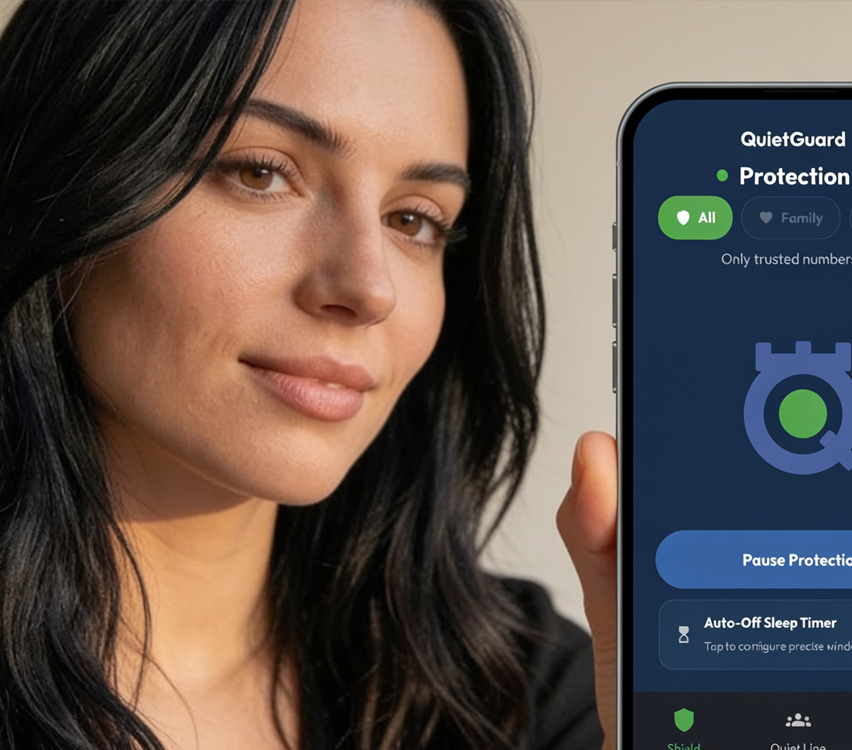
Eisa smiling at her phone on a terrace in the evening
"Quiet by default. Ringing when it counts."

Only the people you trust ring. Important calls don't get lost.

Your trusted people ring as normal. Everyone else stays quiet and waits in Activity, so they don't disturb you.

  • Important call alert (free; in the app: alerts when someone keeps calling): if the same number calls 3 times in 15 minutes, you know right away.
  • Approved numbers: official numbers, like HMRC's, you can trust in one tap.
  • Eisa (Personal and Family, UK): powerful help when you can't answer. Once you forward calls to her, she answers callers you don't know at any hour, tells them she's an AI, takes the message and hands you a clear written summary. For now she only takes messages.

Your contacts, trusted list and Activity stay on your phone. Only features you switch on use our server: Family mode (encrypted on your phones) and Eisa's messages. The free version shows non-personalised ads.

Rated 5.0 from 206 reviews on Google Play (5 November 2026).

Why this matters

Most people don't need more phone noise. They need fewer interruptions, less pressure, and confidence that the people who matter can still reach them.

  • Cuts daily disruption from nuisance and marketing calls.
  • Helps protect older relatives who are more exposed to scam pressure.
  • Keeps a clear record: Activity, and 7 days of Protection history on the phone.

In detail

Tap a section to open it.

Live nowWhat QuietGuard does
  • Trusted contacts: pick people from your contacts or type a number. Give each one a photo, an icon or an avatar.
  • Profiles: sort trusted people into groups such as Family and Work, and choose which group can ring right now. Block all keeps every call quiet until you change it.
  • Quiet now: choose how long you want peace. When the time is up, QuietGuard goes back to how it was.
  • Quiet hours: set the hours you want quiet, for example nights, and QuietGuard switches by itself. It can also follow your phone's calendar.
  • Activity: the calls QuietGuard kept quiet, searchable by name, number or date. Add a number to your trusted list with one tap.
  • Protection history: what protection did, day by day. Kept on your phone only, for 7 days.
  • Important call alert (free; in the app: alerts when someone keeps calling): if the same number calls 3 times in 15 minutes, QuietGuard lets you know right away, so you can call back. The calls themselves stay quiet. Unlike Android's own "repeat callers" setting, you decide whether to call back. With Premium you can make it more or less sensitive.
  • Unexpected but important calls, such as a delivery or a new client? With Personal or Family, Eisa takes a message and you read a short summary in QuietGuard. What happens to calls you miss
  • Call warning (Personal and Family): one switch, "Warn me before I call a number I don't know". Handy when you tap a number in a text message. You can always call anyway. Nobody else sets it or is told.
  • Work offline: one switch in Settings. QuietGuard stops using the internet; call protection keeps working. Eisa, family features and ads pause until you switch it back.
  • Light or dark, in 14 languages.
For familiesEspecially helpful for older relatives

A phone can be both a lifeline and a source of pressure. QuietGuard keeps family and friends reachable while unknown callers stay quiet.

Less pressure

  • Reduces stressful contact from unknown and scam callers.
  • Keeps trusted family, friends and key services reachable.

Family close by

  • Link their phone as Older family member: family can add a trusted number for them (they're told who added it) and see whether protection is on.
  • Simple setup a family member can do once and leave running.
PhilosophyThe QuietGuard approach

Not hidden automation or confusing rules: visible choices, simple language, and protection that stays under your control.

Clear and calm

  • Clear by design: no technical setup maze.
  • Calm by intention: fewer interruptions, less pressure.

You decide

  • You choose who can ring, and when.
  • Every setting is visible and easy to change.
Free and PremiumWhat's free, and what Premium adds
  • Free, always: trusted contacts, protection, Block all, Activity with search, Protection history and Important call alert (in the app: alerts when someone keeps calling).
  • Personal adds Eisa, Call warning, profiles such as Family and Work, Quiet hours (also by your calendar) and a choice of how sensitive Important call alert is. Family adds linking and looking after up to 3 family phones, and Eisa can be shared with one family member.
  • The free version shows a small non-personalised ad in a few quiet places, never during a call. Premium: no ads.
  • Every new install starts with 14 days of Premium, free.
Good to knowWhat QuietGuard doesn't do
  • It doesn't stop anyone dialling your number. A call that is kept quiet is declined by the phone; what the caller hears depends on their network.
  • It doesn't block text messages, apps or websites. For websites, see our free browser QuietWeb.
  • Calls you make aren't affected, unless you switch on Call warning (or, on a child's phone, the parent turns on Call check). Emergency numbers always go through. QuietGuard uses Android's own call-screening feature.

What users are saying

Responses from early users of QuietGuard.

Where Personal can grow

Personal begins with quieter days and protection from nuisance and scam calls. New features are added when they are ready and tested, never before.

Read more about how QuietGuard works